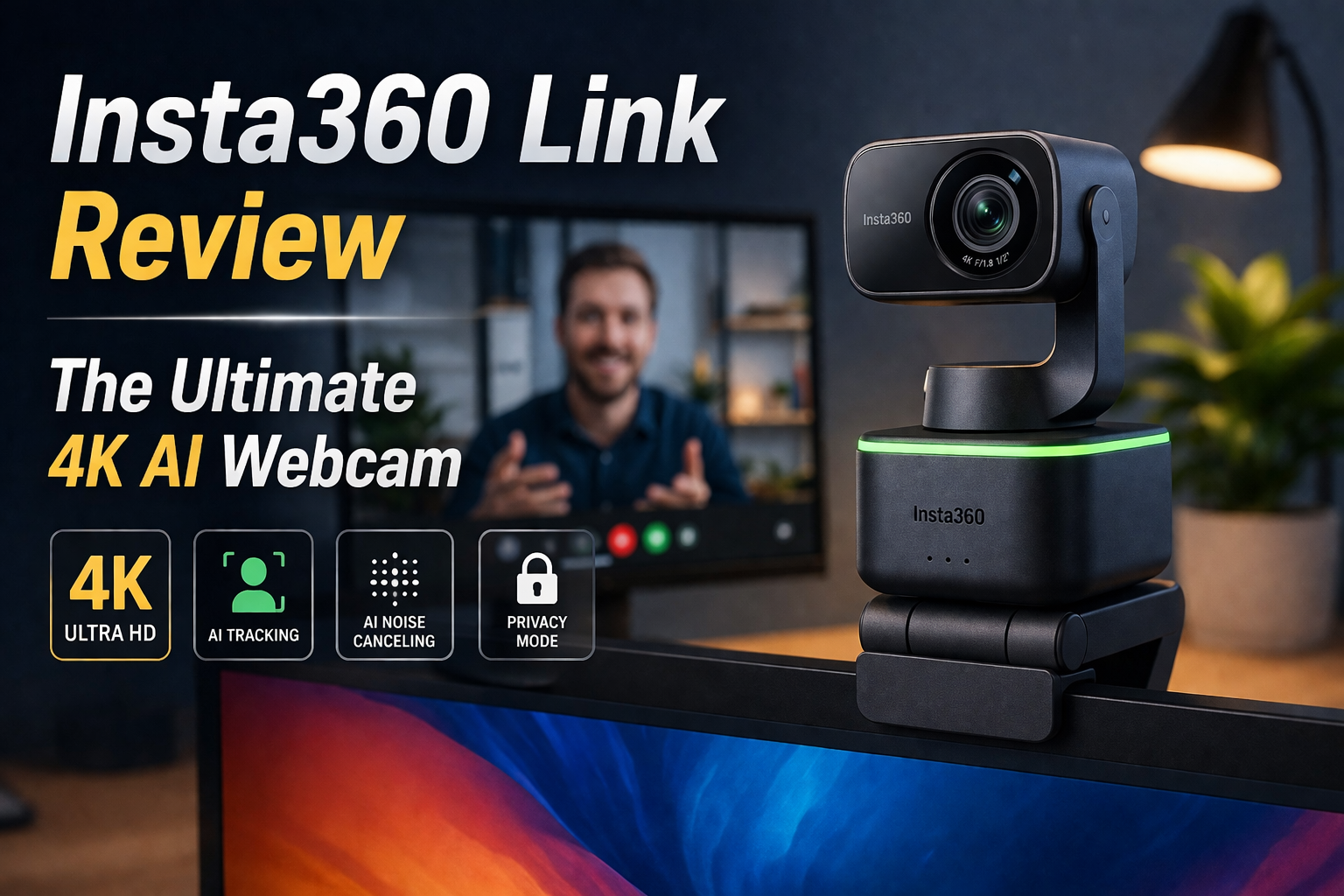
Insta360 Link.
The webcam that thinks for itself. We test this AI-powered, 4K gimbal camera to see if it delivers the ultimate professional video quality for high-stakes meetings and content creation.
| Specification | Detail |
|---|---|
| Sensor Size | 1/2″ Sensor (Massive for a webcam) |
| Resolution | Up to 4K at 30fps / 1080p at 60fps |
| Hardware | 3-Axis Gimbal for physical movement |
| Smart Features | AI Tracking, Gesture Control, DeskView Mode |
The Good
- ✓ The massive 1/2-inch sensor performs miraculously in low-light conditions. You don’t need a massive ring light burning your retinas to look professional.
- ✓ The AI gimbal physically rotates to keep you dead-center in the frame, even if you stand up and walk around your room during a presentation.
- ✓ DeskView mode automatically tilts the camera down to show your tabletop, automatically correcting the perspective. Perfect for showing documents or product unboxings.
- ✓ When inactive, the lens automatically points straight down into its base, guaranteeing 100% hardware-level privacy.
The Bad
- ✗ It is incredibly expensive. At around $300, it costs more than some entry-level monitors or processors.
- ✗ It requires a relatively powerful PC and the Insta360 Link Controller software running in the background to access its best AI features.
- ✗ The built-in dual microphones are decent, but at this price point, you should be using a dedicated standalone mic anyway.
The 1/2-Inch Sensor Advantage
Most webcams, even expensive ones from established brands, use tiny smartphone-sized sensors. This makes the video look grainy, washed out, and terrible unless you have blinding studio lights pointing at your face. Insta360 broke the mold by stuffing a massive 1/2-inch sensor into the Link.
This allows it to capture significantly more light. Combined with its true 4K resolution and HDR mode, your video feed looks closer to a DSLR camera than a standard webcam. Your skin tones look natural, the background has a slight, authentic depth of field, and you instantly command visual authority in any digital meeting.
A Robot Cameraman: AI Tracking
Software tracking (where a camera zooms in and digitally pans across the frame) destroys image quality. The Insta360 Link uses a physical 3-axis gimbal, similar to high-end drones. When you move, the physical camera lens actually moves to follow you.
If you are an educator, a consultant pitching on a whiteboard, or a streamer who likes to move around, the AI tracking is flawless. It keeps you perfectly framed without any loss of 4K resolution. You can even use simple hand gestures to tell the camera to start following you, zoom in, or enter whiteboard mode without ever touching your mouse.
DeskView & Whiteboard Modes
The Link has tricks that standard cameras cannot replicate. Hold up your hand in a specific gesture, and the gimbal immediately looks straight down at your desk. The software then automatically corrects the keystone distortion, making your desk look like it’s being filmed from perfectly overhead. This is brilliant for sketching ideas or reviewing documents live on a call.
Similarly, “Whiteboard Mode” uses included reusable marker stickers. Place them on the four corners of a whiteboard on your wall, and the camera will automatically snap to the board, crop it perfectly, and enhance the contrast of the marker ink so your viewers can read it clearly.
Final Verdict
The Insta360 Link is massive overkill for casual Zoom calls with friends, but it is an absolute game-changer for professionals. If your income relies on how you present yourself digitally, the flawless 4K sensor, physical gimbal tracking, and brilliant software modes make this the best webcam money can currently buy.