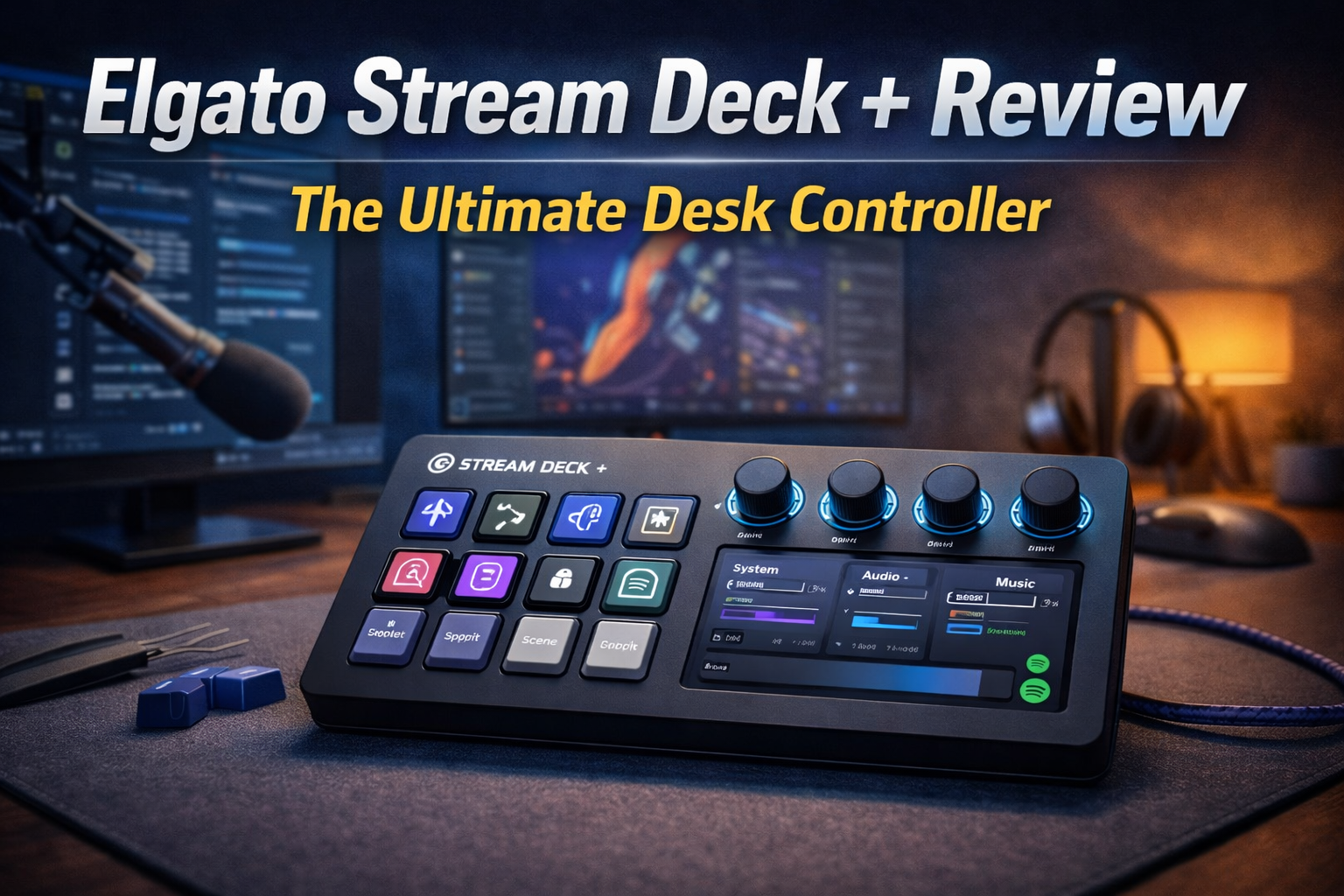
Elgato Stream Deck + (Plus).
Far more than just a toy for Twitch streamers. We test the ultimate desktop console to see how its LCD keys and tactical dials transform daily productivity and workflow.
| Specification | Detail |
|---|---|
| Controls | 8 LCD Keys | 4 Push Dials | 1 Touch Strip |
| Customization | Unlimited Smart Profiles & Folders via Software |
| Audio Software | Includes Elgato Wave Link Digital Mixer |
| Connection | Detachable USB-C to USB-A |
The Good
- ✓ The addition of physical dials is a game-changer. Adjusting individual app volumes (like turning down Discord while keeping game audio high) is now incredibly intuitive.
- ✓ Smart Profiles automatically switch the LCD keys and dials based on the app you are currently using on your PC or Mac.
- ✓ The Elgato App Store has plugins for almost everything: Photoshop, Premiere Pro, Spotify, Hue Lights, and even complex macro setups for marketing tools.
- ✓ Unlocks the powerful “Wave Link” audio routing software, which previously required buying an Elgato microphone.
The Bad
- ✗ It demands a time investment. You have to spend a few hours setting up your folders, macros, and routing to get the true value out of it.
- ✗ With only 8 physical LCD buttons, power users might find themselves swiping through folders more often than on the 15-key standard model.
- ✗ The touch strip can occasionally feel slightly less responsive than the physical buttons when swiping between pages.
Beyond Streaming: The Ultimate Productivity Tool
Elgato built their empire on Twitch, but the Stream Deck + is secretly a massive cheat code for working professionals. Think of the actions you do 50 times a day. Opening specific folders, launching Meta Ads managers, pasting UTM tracking links, or muting your mic on a client call.
Instead of navigating through menus or remembering complex keyboard shortcuts, you simply press a dedicated, glowing LCD button with a custom icon. Need to switch from managing a high-ticket real estate consulting project to unwinding with a video game? One button press can close your work applications, open Steam, dim your smart lights, and switch your audio outputs simultaneously.
The Dials & Wave Link Magic
The four tactile dials on the bottom are the stars of the show. By default, they control audio. Buying the Stream Deck + gives you free access to Elgato’s Wave Link software, which creates a virtual mixing board on your PC.
You can assign Dial 1 to Spotify, Dial 2 to your game audio, Dial 3 to Discord, and Dial 4 to your main system volume. If a podcast is too loud while you are working, just reach over and twist the dial. The LCD touch strip above the dials clearly displays what each knob currently controls, and pushing the dial in instantly mutes that specific channel.
Dynamic Smart Profiles
The real power lies in the software’s ability to adapt. When you open Chrome, the buttons can automatically change to your most visited bookmarks and SEO tools. When you launch Premiere Pro, the dials instantly switch to timeline zooming and brush sizing. When you open a game, the buttons become instant-capture buttons for your best moments. It transforms to fit exactly what you are doing in real-time.
Final Verdict
The Elgato Stream Deck + is the ultimate desk accessory that you don’t realize you need until you use it. The addition of physical dials and audio mixing elevates it from a simple macro pad to an essential control center for your entire PC. Whether you are creating content, managing heavy professional workflows, or just want absolute control over your digital environment, it is worth the investment.